


11.2.2026
Ataberk Teknekaya
 Share this
Microsoft Fabric is Microsoft’s unified analytics platform that brings data engineering, analytics, and business intelligence together in a single SaaS experience. Built on OneLake and combining services like Data Factory, Synapse, and Power BI, Fabric simplifies data architectures by providing a governed, end-to-end analytics foundation within one platform.

dbt (data build tool) is a leading tool in analytics engineering, focusing on the ‘T’ in ELT. It enables teams to transform raw data into analytics-ready models using SQL, while applying software engineering best practices such as version control, testing, and documentation to create scalable and maintainable data transformations.
At FELD M, we use dbt extensively in our data transformation workflows for client projects. We use it to transform raw and intermediate data into well-structured, analytics-ready models that can be reliably consumed by reporting and downstream analytics use cases. Its support for testing, documentation, and modular modeling helps us deliver scalable, maintainable, and trustworthy data platforms for our clients.
Until recently, however, using dbt with Microsoft Fabric required additional setup or trade-offs. Data teams typically had two main options. The first was to use dbt Core, running it outside of Fabric, often on a virtual machine, and investing additional effort to handle scheduling, monitoring, credential management, and operational maintenance. The second was to adopt dbt Cloud, which simplifies orchestration but introduces additional licensing costs and adds another external service to the architecture.
This gap made dbt less integrated into the overall Fabric experience. With the introduction of native dbt jobs in Fabric, Microsoft is addressing this limitation directly, bringing dbt execution, scheduling, and monitoring closer to the data platform itself and aligning Fabric with how modern analytics teams already work.
So what are dbt jobs? Exploring the feature
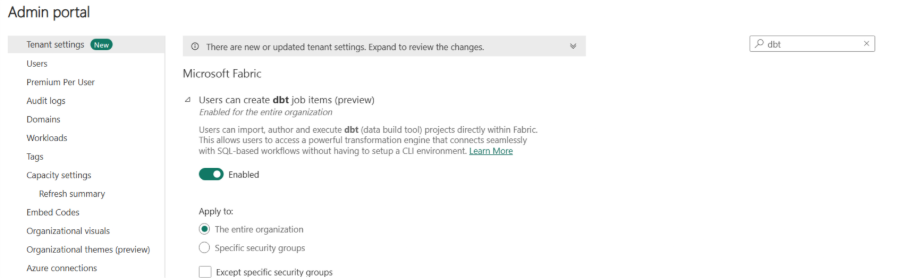
A dbt job is a workspace item available with Microsoft Fabric licenses and is currently in public preview. To create a dbt job, the Fabric tenant admin must first enable it in the tenant settings.
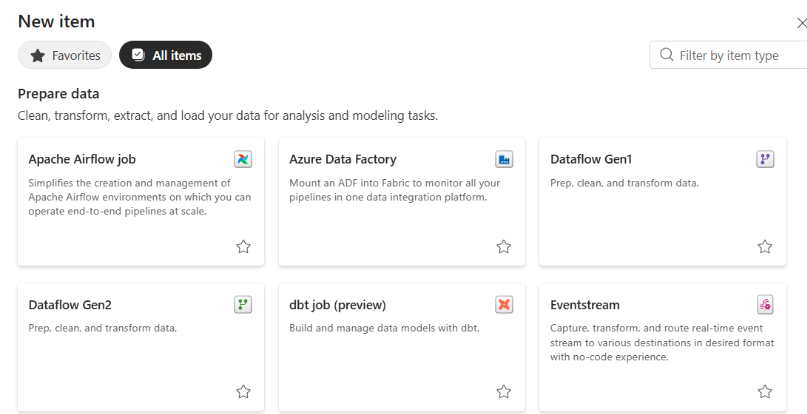
Once enabled, any user with the Contributor role can create a dbt job by selecting it from the ‘Prepare Data’ section when adding a new item in Fabric.
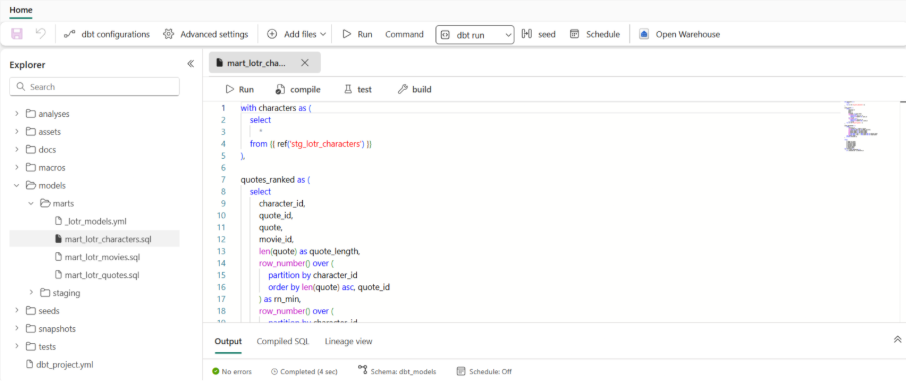
dbt jobs can connect to multiple adapters, including Fabric Warehouse, Snowflake, PostgreSQL, and Azure SQL Server. After selecting an adapter, users will see an interface that resembles dbt Cloud, following the familiar dbt project structure with models, tests, seeds, snapshots, and macros.
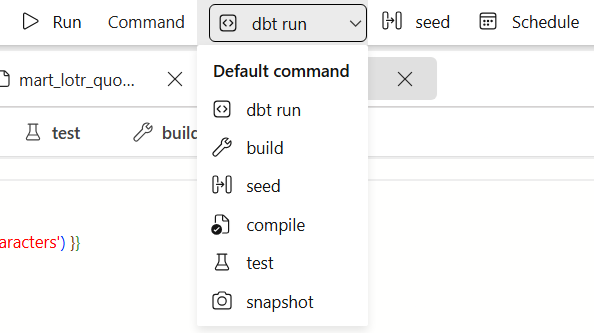
Common dbt commands like run, build, seed, compile, test, and snapshot are available directly from the UI.
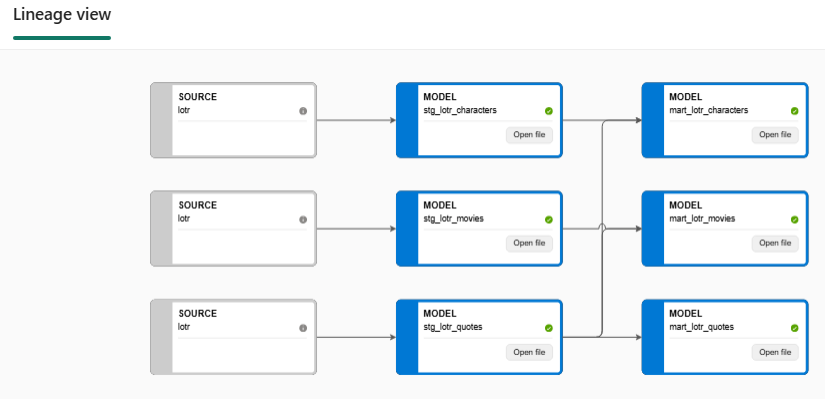
In addition, model lineage can be viewed in the lineage view, providing clear visibility into dependencies across the project.
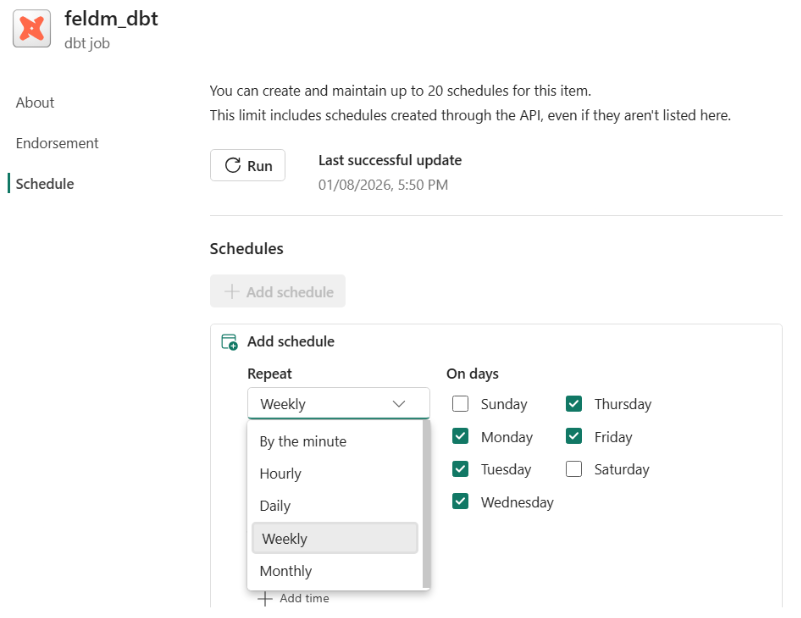
The item can be scheduled with various frequency options, making it suitable for automated execution.
Final thoughts: A feature set to mature into a key part of our modern data architectures
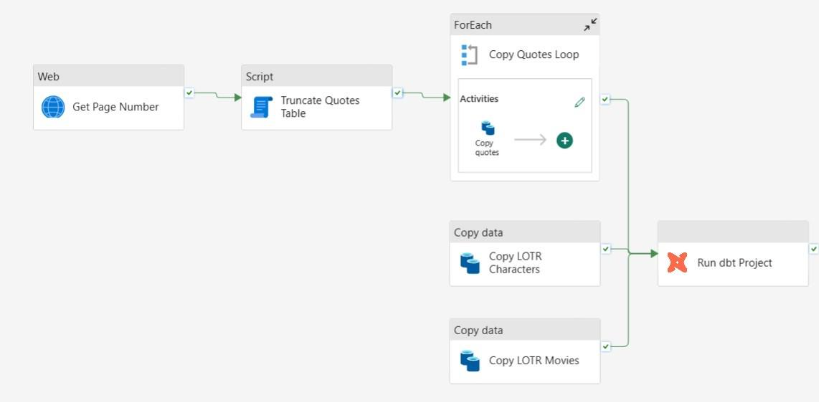
Despite being schedulable, the term ‘dbt job’ is somewhat inaccurate. Functionally, this item behaves more like a dbt project than a job. A more accurate use of the term would be as an activity within Data Factory, which is not yet available. Once such an activity is introduced, transformations could start immediately after data integration, reducing the delay between raw data ingestion and transformed models in the warehouse.
One important limitation is the lack of support for dbt packages. These packages, such as dbt_utils and dbt_elementary, help us improve data quality and monitoring, and we rely on them heavily. Additionally, source-specific packages like ga4 allow us to model data sources with predefined schemas.
dbt developers are accustomed to working in VS Code, using extensions like Power User for dbt to work faster and more comfortably, often with their own datasets configured via profile files. While Fabric workspace items can be opened in VS Code, the experience is still somewhat janky and does not meet the expectations of dbt developers.
Although still in its early stages, we believe this feature will mature into a key part of our modern data architectures, enabling tighter integration, faster transformations, and higher data quality across the analytics stack.
Further reading on dbt and modern data engineering
If you're interested in exploring more about dbt and modern data transformation practices, check out the following resources:
- Case study: Scaling business intelligence: Discover how we helped a Munich-based build scalable BI solutions by implementing dbt to streamline their data pipeline and improve reporting efficiency.
- The Hitchhiker's Guide to the Modern Data Stack: An exploration of how the modern data stack, including dbt, can transform your analytics environment, featuring four key factors you should consider when selecting the tools in your modern data stack.
- Case study: Data integration with a modern data stack: Read our case study to find out how we used dbt to integrate 20+ data sources into a unified system, reducing licensing and cloud costs by 90% for an e-commerce company.