


 Share this
The below is an online archive of our All Things Google newsletter for your reference. New editions will be added to this page throughout 2026, but if you'd like to receive the newsletter as soon as it goes out, you can register below to receive these updates directly to your inbox on a quarterly basis.
August 2026
All Things Google: Major GTM update & improved AI traffic tracking
Google still runs its internal online events sharing the roadmap and upcoming updates, but we feel like not many of them are coming to fruition right now. Our working theory is that maybe their AI-related improvements are taking longer than planned? That said, this quarter's edition does bring the biggest Google Tag Manager update we've seen in years (more on that below).
Beyond that, we're sharing improvements to tracking AI traffic in Google Analytics, plus good news for Google Business and AdMob users, and there are a few small but mighty interface changes to check out too. To round things off, we're also sharing two of our top articles so far this year, both centered on agentic analytics.
The biggest Google Tag Manager update we've seen in years
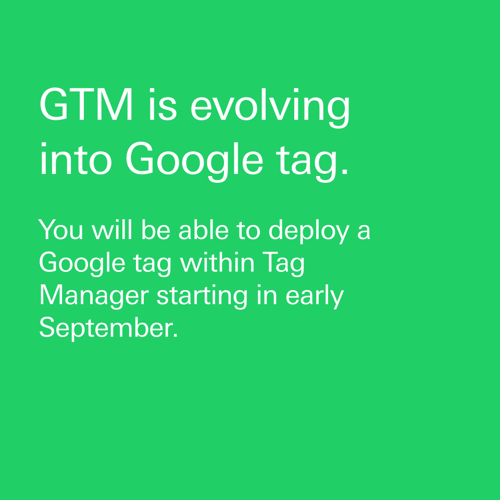
Google's giant update brings the Google tag and Google Tag Manager closer together, introducing a simplified interface, centralized tag settings, and a more unified tagging experience. That means:
-
Websites using only the Google tag will gain access to GTM capabilities such as debugging, version control, and UI-driven tagging
-
GTM users will benefit from streamlined configuration and improved performance by reducing unnecessary gtag.js loads.
-
Existing implementations will continue to work, and the upgrade is optional, giving teams time to evaluate and migrate at their own pace. If you manage Google tags or GTM containers, this is an update worth understanding. For more information, refer to this official Google documentation:
Google tag and Google Tag Manager unification
Google Analytics: AI traffic tracking, cleaner attribution & improved reporting granularity
-
Google Business Profile data now lives in GA4:
Google Analytics now lets you link your Google Business Profile (GBP) directly to GA4, bringing local business and website performance into a single reporting experience for the first time. Data is available for a rolling 6-month period – instructions here.
The catch is that GBP data linked to the same property is aggregated, meaning a chain with stores across multiple locations only sees one blended number. If you run one location, it makes sense to link it. If you run multiple, the aggregated number is much less insightful.
We're currently trying out this new feature and will share our experiences in our next edition!
-
Improved AI traffic tracking:
Google Analytics now automatically identifies traffic from supported AI assistants and introduces a new AI Assistant channel in the Default Channel Group. Visits from recognized tools such as ChatGPT, Gemini, and Claude are now automatically categorized, making it easier to measure how AI-driven discovery contributes to your traffic.
-
One caveat: This feature currently captures only a limited set of AI tools and relies on referrer data, meaning some AI traffic may still be classified as Direct or Referral. We recommend maintaining a custom regex-based channel group to catch additional AI sources (e.g., Perplexity, Copilot, and others). And if you use custom channel groups, remember to add the new AI Assistant channel manually, as it won't be included automatically.
-
Unified traffic sources:
A new Source Group dimension brings cleaner attribution by standardizing traffic sources into consistent, high-level categories—for example, grouping values like fb, facebook, and Meta-facebook under Facebook.
-
Improved reporting granularity:
Together with updates to the Source Platform dimension, this brings third-party platforms like TikTok, Pinterest, and Amazon the same level of reporting granularity as already exists for Google properties such as YouTube, Search, and Maps.
This update futureproofs your tracking by categorizing emerging AI traffic sources. Plus, it populates the data retroactively so you can analyze historical trends right away.
-
Native AdMob linking:
Google Analytics now supports native AdMob linking directly from the Admin > Product Links section, making it easier to connect your app data streams with AdMob. This streamlined integration improves data transparency and provides more complete user and monetization insights. Plus, it enables advanced features such as using ad impression revenue for Google Ads target ROAS (tROAS) campaigns.
Small but mighty interface changes
-
A new Hostname filter is now available in the Data Filters section of GA4 Admin. It allows you to exclude events from specific hostnames, ensuring that only data from approved domains is collected. This helps improve data quality by preventing unwanted or invalid traffic from affecting your reporting and analysis.
-
Currency data now required for cost data imports: Campaign cost data imports now require a currency field to improve reporting accuracy, especially if your property's currency changes in the future. You can map the currency from your data source or apply a fixed currency to the entire import; existing imports will continue to use your property's current currency setting.
-
Filter tags by type in GTM: Google Tag Manager now makes debugging workflows more efficient by allowing you to filter your tag list by tag type directly within the workspace. Instead of manually searching through long lists of tags, you can quickly narrow down the relevant tags and focus on the ones you need—saving time when troubleshooting, reviewing configurations, or managing complex containers.
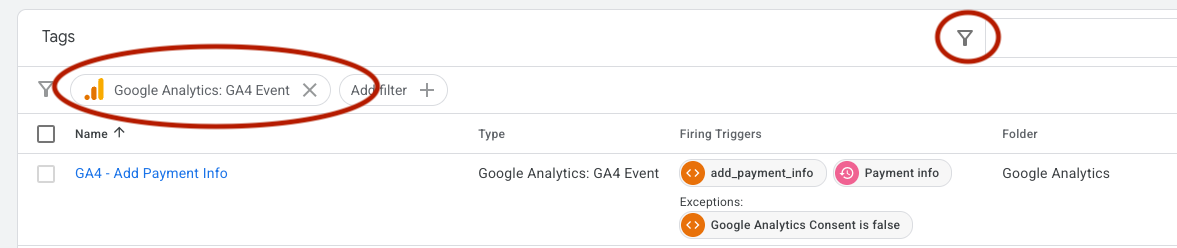
Screenshot: Google Analytics GA4 event
FELD M's summer picks
Curious about the latest discussions around Google Tag Manager? Simo Ahava’s post takes a closer look at the major GTM changes coming with the new Google Tag experience, breaking down what’s changing, why it matters, and what it could mean for existing implementations. A great read if you want to understand the community perspective.
Following three months of testing our way across the agentic analytics tool market earlier this year, BI experts Sandy and Dima report back that these tools are ready to change how BI work gets done, but none of them are ready to be trusted unsupervised.
Not sure whether you need an agentic analytics tool yet? Here are 7 questions to ask yourself to find out.
February 2026
All Things Google: AI in GA4, new attribution, and budgeting tools
Google has rolled out several important updates across Analytics and Tag Manager. Below, we’ve summarized the most relevant ones, including new AI-powered support in GA4, improved attribution, and smarter cross-channel budgeting. You’ll also find two recommended reads: one to help you navigate Google’s Looker ecosystem, and another comparing Looker and Power BI to support your tool decisions.
One thing to watch: Analytics Advisor delivers fast, in-account insights, but how does it compare to Google’s earlier Model Context Protocol (MCP) server connection? In our next edition, we’ll compare these two AI-driven approaches to data analysis and explore how each supports more informed data decisions.
Analytics Advisor: AI-powered help in GA
GIF of the Analytics Advisor in action in Google Analytics

Google’s new Analytics Advisor introduces a conversational AI assistant directly into the GA4 interface. You can ask questions in natural language and receive immediate answers, visualizations, and explanations for trends or anomalies. Think of it as an integrated analytics assistant that helps you quickly surface key insights and supports you with complex features.
Because the feature is still in beta, responses may occasionally be incomplete or inaccurate. The feature analyzes data only at the property level and is currently available for properties set to English, with additional languages planned for the future.
In our tests, Analytics Advisor worked well for standard dimensions and events, delivering fast and useful insights. With more customized setups, however, accurate results depend on a solid understanding of your tracking implementation. In other words, you need to reference specific custom event names, rather than asking broad questions like "On which page did the pop-up banner receive the most clicks?". We hope to see this improve with future updates!
Google Analytics: Budgeting updates, new reports & new audience templates
-
Google Analytics is introducing cross-channel budgeting to help you track performance and allocate spend more effectively. With projection plans, you can see how channels are expected to perform against key KPIs like spend, conversions, and revenue, while scenario plans allow you to explore different budget allocations and forecast potential ROI. These tools support more confident decision-making around pacing, forecasting, and budget optimization. Find the new reports under Advertising > Budgeting. This feature requires at least one year of cost data across two or more channels. More info.
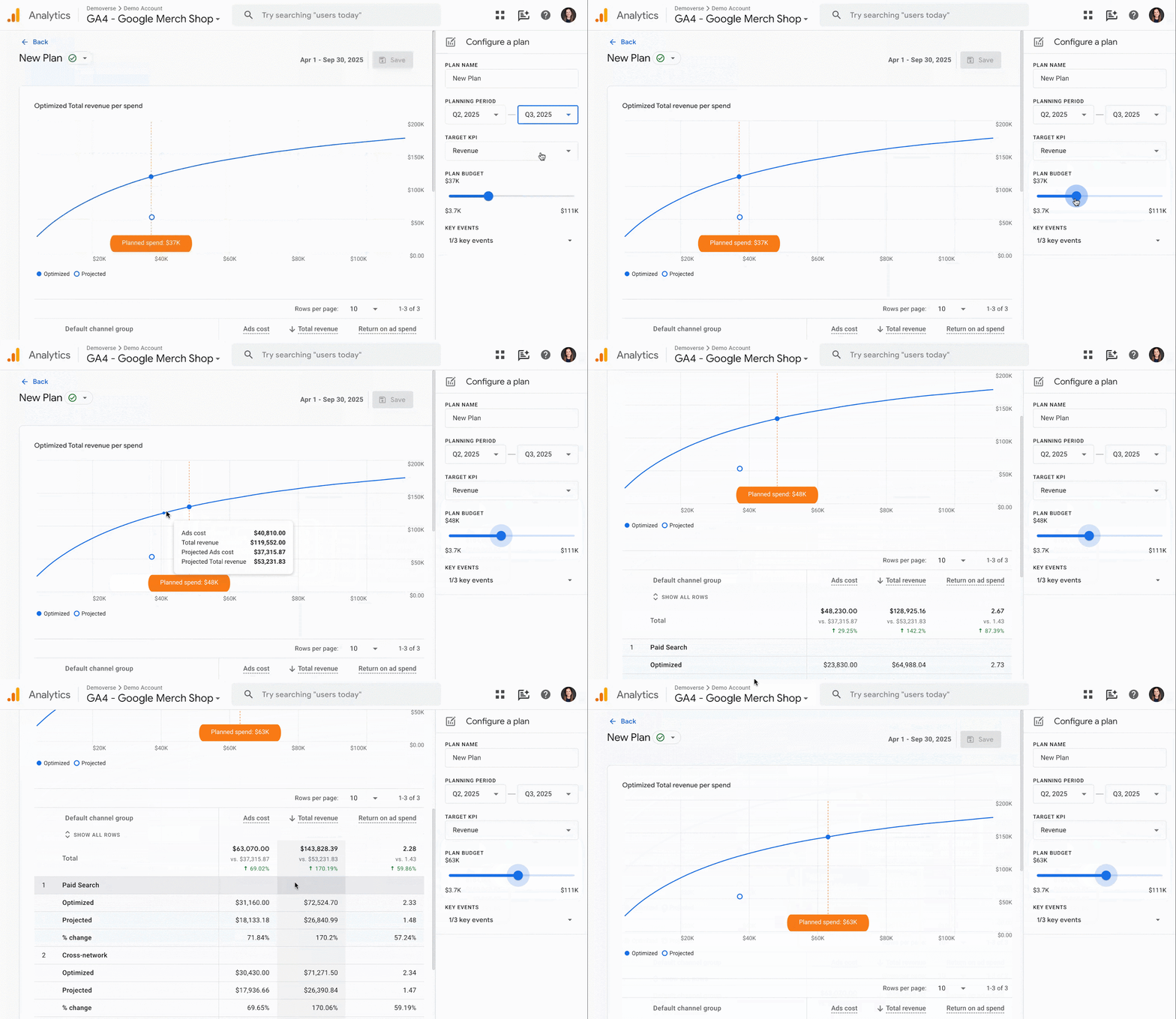
GIF of new Cross-channel budgeting feature in Google Analytics
-
Enhanced cross-channel conversion reporting (in beta) gives you a clearer view of how paid, organic, and other channels contribute to conversions. It lets you explore performance using different attribution models, all within the Analytics interface – a helpful step toward more unified measurement across your marketing efforts. Read more here.
-
Google Analytics has improved user-provided data (UPD) to deliver more accurate attribution and stronger support for Ads Conversions, Enhanced Conversions, and Customer Match. UPD is no longer used as a reporting identity for sessions or users. A new infrastructure is now live for new properties, and existing properties will be migrated by Q2 2026.
-
Two new suggested audience templates are now available to help you act on customer value and engagement. You can now quickly build audiences for High-Value Purchasers, based on purchase volume or lifetime value (including top LTV percentiles), and Disengaged Purchasers, based on time since last purchase. These audiences are available in GA4 reports and can be exported to Google Ads to support acquisition, re-engagement, and retention campaigns. More about suggested audiences.
-
Google Tag Manager has introduced three new built-in variables - Client ID, Session ID, and Session Number - making it much easier to track specific user data without custom code. Additionally, a new Analytics Storage variable allows for advanced setups, such as using custom cookie prefixes or specific measurement IDs.
FELD M's February picks
Looker Studio vs. PowerBI

-
A clear-cut comparison of Looker, Looker Studio, and Looker Studio Pro, updated for 2026, highlighting where each tool shines—and where it doesn’t.
-
Debating a shift in your stack? Take a look at our Looker vs. PowerBI comparison, featuring a handy PDF table overview.
Training & learning
We know Google's updates come fast. Our team regularly provides practical training sessions so you can apply new features with confidence. If you're evaluating how these updates affect your setup, our GA training sessions cover implementation, attribution, and reporting best practices.