


 Share this
The below is an online archive of our All Things Google newsletter for your reference. New editions will be added to this page throughout 2026, but if you'd like to receive the newsletter as soon as it goes out, you can register below to receive these updates directly to your inbox on a quarterly basis.
February 2026
All Things Google: AI in GA4, new attribution, and budgeting tools
Google has rolled out several important updates across Analytics and Tag Manager. Below, we’ve summarized the most relevant ones, including new AI-powered support in GA4, improved attribution, and smarter cross-channel budgeting. You’ll also find two recommended reads: one to help you navigate Google’s Looker ecosystem, and another comparing Looker and Power BI to support your tool decisions.
One thing to watch: Analytics Advisor delivers fast, in-account insights, but how does it compare to Google’s earlier Model Context Protocol (MCP) server connection? In our next edition, we’ll compare these two AI-driven approaches to data analysis and explore how each supports more informed data decisions.
Analytics Advisor: AI-powered help in GA
GIF of the Analytics Advisor in action in Google Analytics

Google’s new Analytics Advisor introduces a conversational AI assistant directly into the GA4 interface. You can ask questions in natural language and receive immediate answers, visualizations, and explanations for trends or anomalies. Think of it as an integrated analytics assistant that helps you quickly surface key insights and supports you with complex features.
Because the feature is still in beta, responses may occasionally be incomplete or inaccurate. The feature analyzes data only at the property level and is currently available for properties set to English, with additional languages planned for the future.
In our tests, Analytics Advisor worked well for standard dimensions and events, delivering fast and useful insights. With more customized setups, however, accurate results depend on a solid understanding of your tracking implementation. In other words, you need to reference specific custom event names, rather than asking broad questions like "On which page did the pop-up banner receive the most clicks?". We hope to see this improve with future updates!
Google Analytics: Budgeting updates, new reports & new audience templates
-
Google Analytics is introducing cross-channel budgeting to help you track performance and allocate spend more effectively. With projection plans, you can see how channels are expected to perform against key KPIs like spend, conversions, and revenue, while scenario plans allow you to explore different budget allocations and forecast potential ROI. These tools support more confident decision-making around pacing, forecasting, and budget optimization. Find the new reports under Advertising > Budgeting. This feature requires at least one year of cost data across two or more channels. More info.
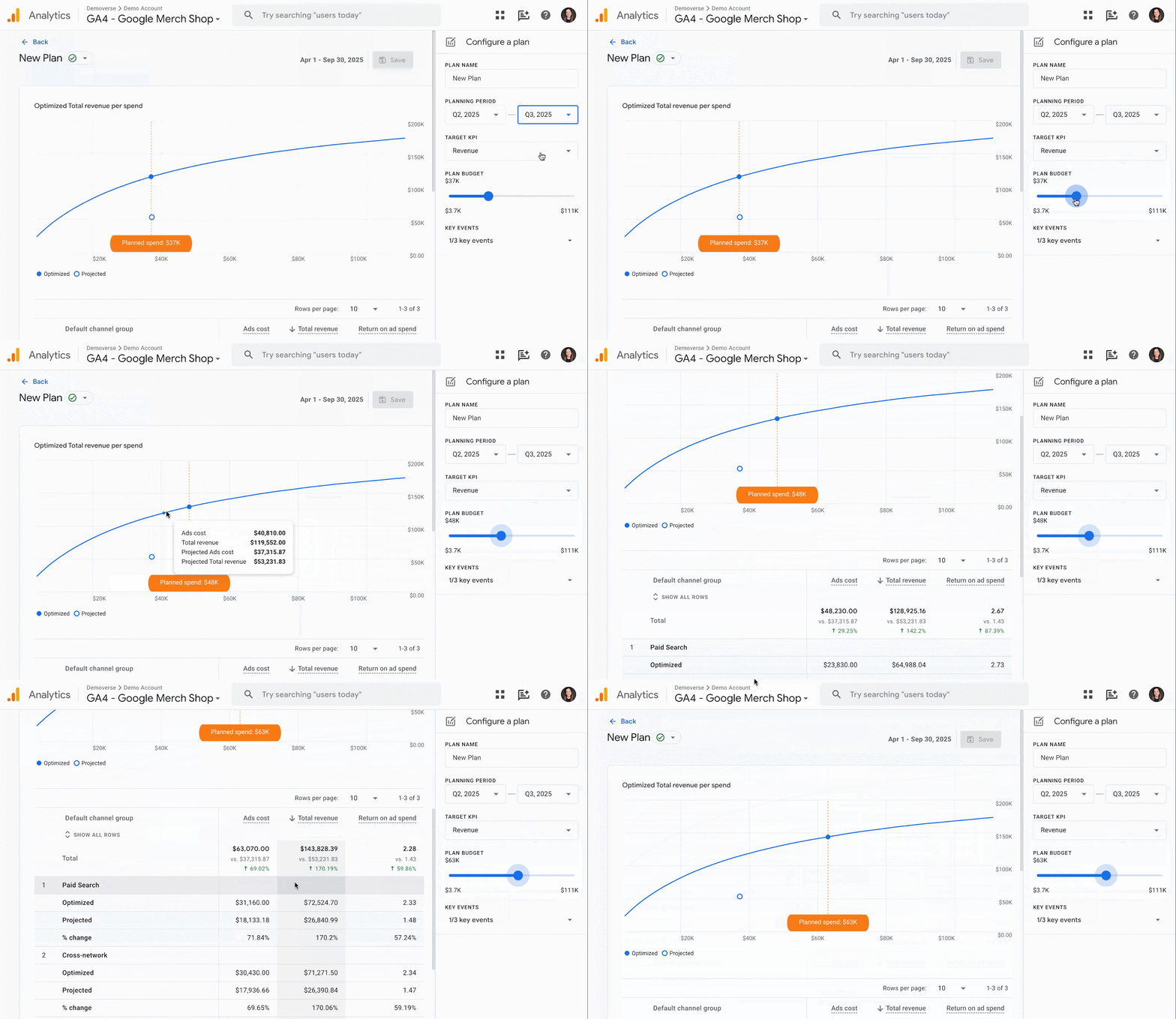
GIF of new Cross-channel budgeting feature in Google Analytics
-
Enhanced cross-channel conversion reporting (in beta) gives you a clearer view of how paid, organic, and other channels contribute to conversions. It lets you explore performance using different attribution models, all within the Analytics interface – a helpful step toward more unified measurement across your marketing efforts. Read more here.
-
Google Analytics has improved user-provided data (UPD) to deliver more accurate attribution and stronger support for Ads Conversions, Enhanced Conversions, and Customer Match. UPD is no longer used as a reporting identity for sessions or users. A new infrastructure is now live for new properties, and existing properties will be migrated by Q2 2026.
-
Two new suggested audience templates are now available to help you act on customer value and engagement. You can now quickly build audiences for High-Value Purchasers, based on purchase volume or lifetime value (including top LTV percentiles), and Disengaged Purchasers, based on time since last purchase. These audiences are available in GA4 reports and can be exported to Google Ads to support acquisition, re-engagement, and retention campaigns. More about suggested audiences.
-
Google Tag Manager has introduced three new built-in variables - Client ID, Session ID, and Session Number - making it much easier to track specific user data without custom code. Additionally, a new Analytics Storage variable allows for advanced setups, such as using custom cookie prefixes or specific measurement IDs.
FELD M's February picks
Looker Studio vs. PowerBI

-
A clear-cut comparison of Looker, Looker Studio, and Looker Studio Pro, updated for 2026, highlighting where each tool shines—and where it doesn’t.
-
Debating a shift in your stack? Take a look at our Looker vs. PowerBI comparison, featuring a handy PDF table overview.
Training & learning
We know Google's updates come fast. Our team regularly provides practical training sessions so you can apply new features with confidence. If you're evaluating how these updates affect your setup, our GA training sessions cover implementation, attribution, and reporting best practices.